
Attractive visual content matters for businesses, marketers, social media creators, and website owners.
High-quality images help products stand out, while clear videos make information easier to understand.
However, manually editing visual content can take time, especially when original files have poor lighting, blurry details, distracting backgrounds, or low resolution.
AI-powered tools are making these tasks more accessible by simplifying common editing processes.
Instead of spending hours adjusting every detail, users can now explore AI tools that help improve images and videos with less effort.
These solutions are useful for everyday content creation, online marketing, product presentations, and personal projects.

Jump to:
How AI Is Transforming Image Editing
Image editing traditionally requires users to understand brightness, contrast, color correction, cropping, background removal, and object selection. Professional software offers extensive control, but beginners may find its features difficult to learn. AI-powered editing makes many of these tasks simpler by allowing users to describe changes or select an automated enhancement feature.
An AI image editor can help users remove unwanted objects, change backgrounds, adjust visual styles, and improve the overall appearance of photographs. Some tools also support prompt-based editing, allowing users to explain the result they want instead of making every adjustment manually.
For example, an online seller might need a clean background for a product photograph, while a social media creator may want to adjust a portrait or create a different visual style. AI editing tools can help with these tasks without requiring advanced design experience.
IObit's AI image editor is one option for users who want to explore AI-assisted photo editing online. Its features include prompt-based changes, object removal, background editing, and image enhancement options. Users can upload a suitable image, select a tool or describe the desired change, and review the result before downloading it.
Improving Video Quality With Artificial Intelligence
Video quality is just as important as image quality, particularly for social media posts, product demonstrations, tutorials, and promotional campaigns. Unfortunately, not every recording turns out as expected. Videos captured in poor lighting may appear noisy, while compressed footage can lose fine details. Older recordings may also look less sharp than modern content.
A video enhancer uses image-processing techniques to improve the appearance of video footage. Depending on the tool, these improvements may include sharpening details, reducing visual noise, adjusting colors, and increasing resolution. AI-assisted enhancement can reduce the need for manual adjustments, although the final results depend on the original footage and the processing method.
IObit's video enhancer provides an online option for improving video quality. Users can upload a supported video, allow the AI to process it, and preview the enhanced result. The tool is designed to help improve clarity and visual details without requiring users to learn a complicated editing workflow.
This can be useful for creators who want to refresh older clips, improve product footage, or prepare clearer videos for online publishing. Reviewing the final output remains important because enhancement cannot always recover details that were never captured in the original recording.
Combining Image and Video Tools in a Content Workflow
Many content projects require both photographs and video clips. An online store, for example, may need polished product images alongside demonstration videos. A marketing team might prepare social media graphics and short promotional clips for the same campaign.
Using separate AI tools for these tasks can help establish a straightforward workflow.
First, review the original files and identify the problems that need attention. For photographs, this might mean removing distracting objects, improving the background, or adjusting the overall appearance. For videos, the priority might be reducing noise, improving sharpness, or making the footage clearer.
Next, process each file with an appropriate tool and compare the results with the originals. Choose the versions that best match the project's requirements. Finally, organize the finished assets and check that their dimensions, formats, and visual styles suit the intended platform.
This process helps maintain consistency across different content formats while reducing repetitive editing work.
Practical Uses for Creators and Businesses
AI-powered visual tools can support a variety of everyday projects.
E-commerce: Online sellers can improve product photographs and video demonstrations, helping customers see products more clearly.
Social media marketing: Creators can prepare more polished images and clips for different platforms without manually adjusting every visual element.
Education: Teachers and students can improve presentation images and make recorded demonstrations easier to view.
Personal photography: Everyday users can refresh old photographs, remove unwanted distractions, and improve the appearance of memorable moments.
Small business promotion: Businesses can prepare website graphics, advertising visuals, and short promotional videos without needing a large production team for every project.
The best approach is to select tools based on the specific problem rather than assuming that every image or video requires extensive editing.
Tips for Getting Better AI Editing Results
Start with the best original file available. A higher-quality source generally gives enhancement tools more useful information to work with. When editing images through prompts, describe the intended changes clearly and avoid combining too many unrelated instructions in one request.
For video enhancement, select a short sample first when possible. Check faces, fine textures, moving objects, and background details to make sure the result looks natural. Excessive sharpening or aggressive enhancement can sometimes create unwanted artifacts.
It is also important to consider privacy before uploading files to online services. Review the provider's privacy information and avoid sharing confidential images or videos unless the service's data-handling practices meet your requirements.
Finally, inspect every output before publishing. AI tools can speed up routine work, but human review remains valuable for accuracy, visual consistency, and creative decisions.
Conclusion
AI is making image and video editing more approachable by simplifying tasks that once required considerable time and technical knowledge.
From improving photographs to enhancing video clarity, these tools can help creators and businesses prepare visual content more efficiently.
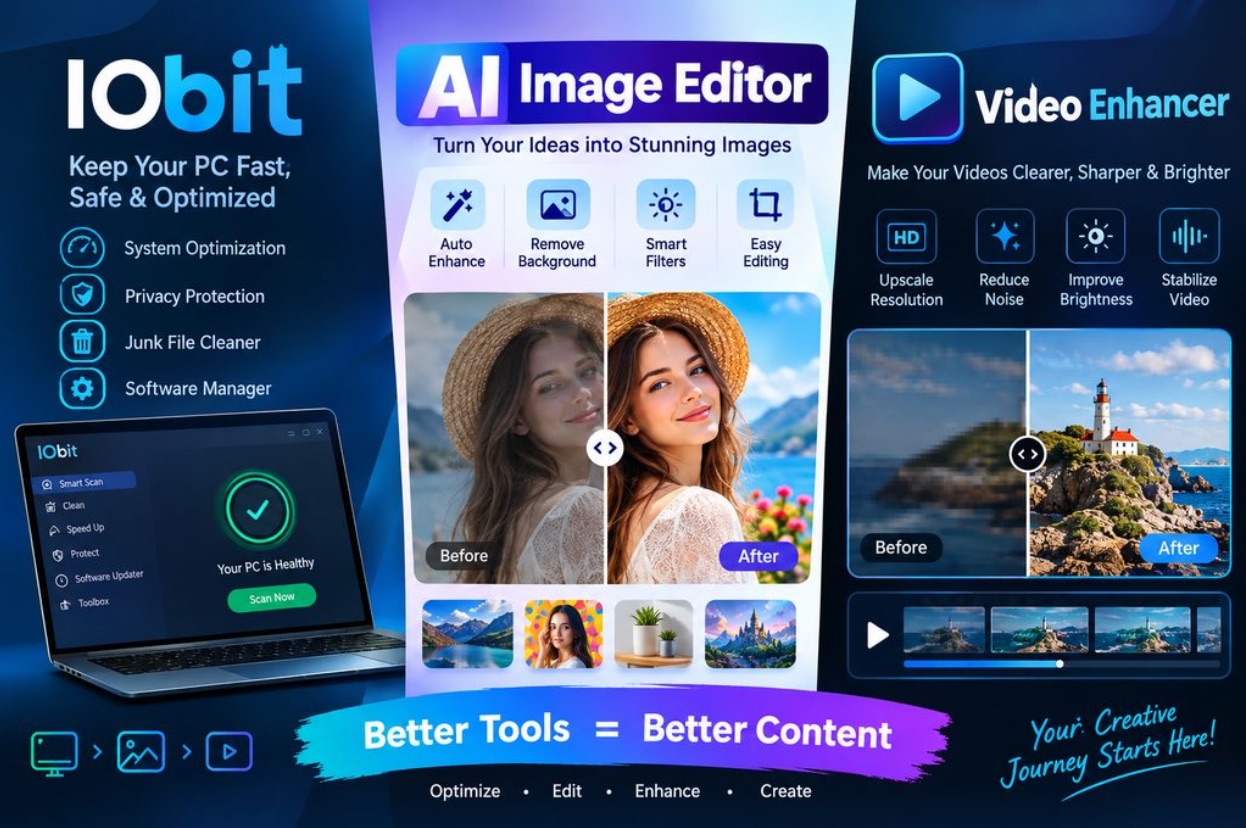




By choosing an appropriate AI image editor for photographs and a video enhancer for footage, users can build a practical editing workflow around their actual needs.
Tools such as IObit's online solutions provide accessible options for experimenting with these capabilities, while careful review of the final results helps ensure that the finished content remains clear, natural, and suitable for its intended audience.





Leave a Reply