

Getting ready for a new academic year requires more than just buying supplies; it involves building reliable habits that support daily learning. Finding the right back-to-school essentials means balancing affordable tech with practical, everyday use.
Personalising school gear through custom phone cases, padded sleeves, and fun personalised accessories instantly reduces household stress and creates a functional setup.
When families implement these straightforward strategies, students gain a sense of ownership over their routines, making homework and college prep feel far more manageable.

Jump to:
- 1. Pick a Budget-Friendly Refurbished Laptop
- 2. Personalise Your Phone Case
- 3. Protect It with a Stylish Laptop Sleeve
- 4. Build a Power-Up Charging Station
- 5. Create a Secure Password Cheat Sheet
- 6. Schedule a Weekly Tech Tidy
- 7. Add the Fun Finishing Touches
- Quick Checklist for School Tech Setup
- Your Next Steps
1. Pick a Budget-Friendly Refurbished Laptop
A reliable laptop changes how a student approaches their coursework, allowing homework to be completed comfortably at a desk rather than on a small mobile screen.
Families looking for affordable solutions often find that refurbished laptops from PCLiquidations provide necessary computing power without breaking the bank.
In fact, refurbished laptops are 20-70% cheaper than brand-new ones, leaving more room in the budget for other necessities.
Equipping a student with a pre-owned device ensures they have the correct specifications for demanding school applications and creative projects. Choosing refurbished electronics also supports environmental sustainability by keeping functional computers out of landfills.
As experts note, one of the most environmentally beneficial things that any of us can do is to acquire and use refurbished electronic devices of all kinds.
Key Insight:
Choosing a refurbished laptop doesn't just save your family money; it actively reduces e-waste, making it a smart, sustainable choice for eco-conscious students entering the new school year.
2. Personalise Your Phone Case
With so many similar devices in a single classroom or household, a personalised case offers the fastest method to ensure a phone is instantly recognisable.
Customisation eliminates the common scramble of misplaced devices while allowing students to express their individual style. Options like Custom Envy's custom phone cases allow students to easily identify their devices using fun patterns or family photos.
This creates practical solutions, such as matching sibling designs, photo collages of summer memories, or clearly labelled name cases for younger children.
Beyond aesthetics, quality custom cases provide essential drop protection to match the user's daily activities. Adding this layer of security helps devices survive the inevitable bumps and drops of a busy school day.
3. Protect It with a Stylish Laptop Sleeve
A high-quality sleeve serves as the primary line of defence against drops and spills, whether a student is carrying a brand-new model or a pre-owned device.
Educational budgets are tight everywhere, and teacher out-of-pocket spending has increased 49%, meaning protecting the tech investments you have at home is more important than ever.

Effective sleeves feature thick padding and include at least one external pocket to store charging cables and USB hubs. Students can add character to basic sleeves through monogramming or durable sticker sets.
This low-cost approach transforms a standard protective layer into an accessory they actively want to carry between classes.
4. Build a Power-Up Charging Station
Establishing a centralised charging location is a highly effective way to maintain household organisation.
Designating a specific shelf in the hallway or a corner of the kitchen counter where all devices dock overnight prevents morning disruptions. This simple routine stops the daily panic caused by uncharged phones or tablets.
A multi-port USB-C charging hub can power laptops, earbuds, and mobile devices simultaneously from a single outlet. Adding a small tray underneath to contain the devices keeps the area tidy and visually appealing.
Pro Tip
Color-code your charging station cables with simple tape or tags. This eliminates arguments over stolen chargers and keeps the morning routine completely friction-free for the whole family.
5. Create a Secure Password Cheat Sheet
Students manage numerous logins for school portals, educational applications, and email accounts throughout the year.
Keeping a dedicated, physical notebook for login credentials provides a secure alternative to storing sensitive information digitally on the device itself. Forgotten passwords are a frequent hurdle, but a master list keeps everything accessible.
Taking ten minutes to document essential passwords saves hours of troubleshooting and frustration across the school year. Families can review this list together to ensure all platforms are properly recorded and accessible when needed.
Warning/Important:
Never carry your physical password notebook in your daily school backpack. Always store this reference guide in a secure desk drawer at home to prevent unauthorized access if your bag gets lost or stolen.
6. Schedule a Weekly Tech Tidy
A brief, five-minute maintenance routine scheduled every Sunday evening keeps digital workspaces functioning optimally.
This process involves deleting unnecessary download files, clearing desktop clutter, and verifying that all required educational software is fully updated. A clean digital space mirrors a clean physical space, promoting better focus.
Treating this digital reset like tidying a physical school locker prevents storage issues and performance lag.
Pairing the tidy-up with a comprehensive device charge ensures that students start their Monday morning with full batteries and an organised screen.
7. Add the Fun Finishing Touches
Small, personalised details transform generic electronics into customised setups that students value and protect.
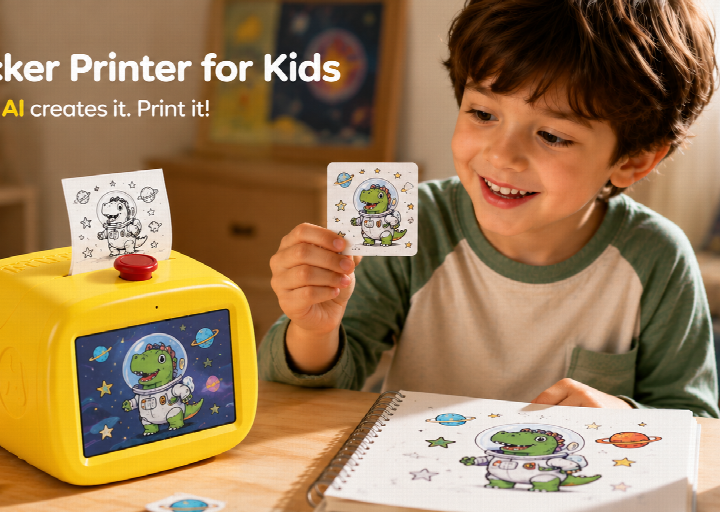
Adding illustrated sticker sets to a laptop lid offers an easy, low-cost way to reflect personal interests. Brightly coloured cable clips help quickly identify chargers in shared library spaces or busy classrooms.
Placing a tracking tag at the bottom of a backpack provides peace of mind against loss. For students using wireless earbuds or smartwatches, custom accessory bands maintain a consistent aesthetic across their entire technology collection.
Quick Checklist for School Tech Setup
Reviewing a straightforward checklist before the academic year begins ensures all technical requirements are met.
- Refurbished laptop sourced and configured for school use
- Custom phone case designed for fast device identification
- Protective laptop sleeve chosen and packed
- Centralised charging station built and labelled
- Physical password reference sheet written and stored safely
- Weekly tech maintenance routine added to the Sunday calendar
- Fun finishing touches like trackers, stickers, and cable clips attached
Keeping this list visible during back-to-school preparations helps families track their progress and avoid last-minute scrambling.
Your Next Steps
Transitioning into a new school term feels significantly more manageable when a student's technology is fully prepared and personalised.
Implementing straightforward habits alongside organised, identifiable gear minimises daily friction and supports a more productive learning environment.
- Parents Are Prioritising Breathable, Sustainable Fabrics For Children's Seasonal Sleepwear
- Our Homemade Christmas Printables, Made With AI: What Worked, What Didn't, and What I'm Saving for Next Year
- At-Home vs. In-Lounge IV Therapy in the Hudson Valley: Which Makes More Sense?
- Can Passengers Pursue Compensation After a Car Accident?




These simple strategies ensure that everyone starts the academic year on the right foot.
Establishing these systems early ensures that technology serves as a helpful educational tool rather than a source of household stress.
Families who prioritise simple tech organisation often find their daily routines run more smoothly.
Enjoy the peace of mind that comes with a well-prepared, fully functional back-to-school setup.




Leave a Reply